Battery cooling (Active Air Cooling)
The charger monitors the temperature of the inserted battery. If necessary, the fans switch on to cool the battery.
The battery is cooled in 3 stages:
- Pre-cooling
- Cooling during the charging process
- Aftercooling

- The charger has its own cooling system that runs independently of the battery cooling.
Pre-cooling
If the battery temperature is above the permissible charging temperature range see Charging process before charging begins, the fans will be activated to cool the battery.
The charging process will start as soon as the battery temperature has reached the permissible charging temperature range.
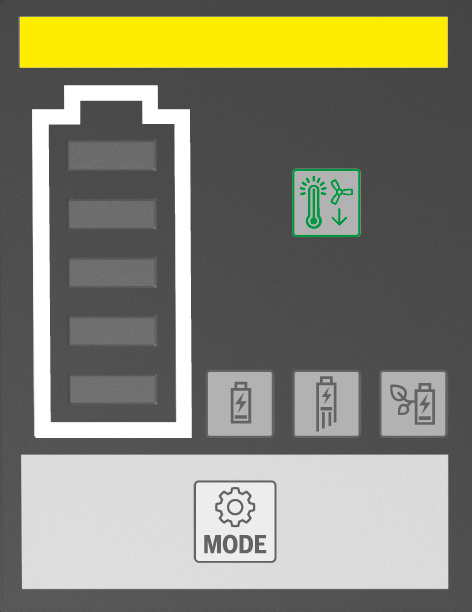
During pre-cooling, the battery cooling is displayed as follows:
The Active Air Cooling indicator (4) lights up green and the status indicator (3) lights up yellow.
Cooling during the charging process
If, during the charging process, the charger detects that battery cooling is advantageous, the fans will be activated.
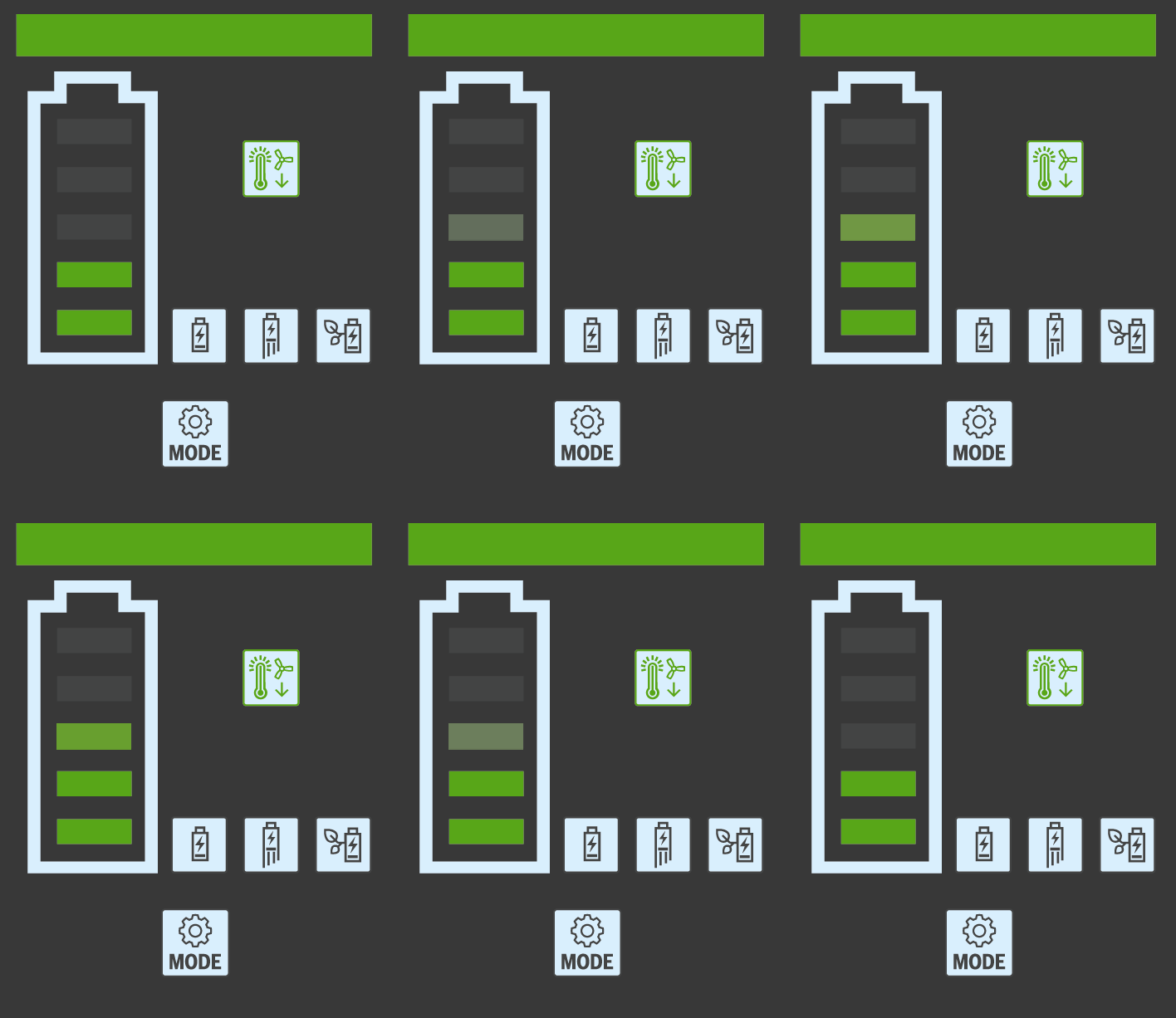
During the charging process, the battery cooling is displayed as follows:
The Active Air Cooling indicator (4) lights up green, the status indicator (3) lights up green and the bars of the battery charge indicator (9) light up green one after the other.
Aftercooling
If, after the charging process, the charger detects that battery cooling is advantageous, the fans will be activated.
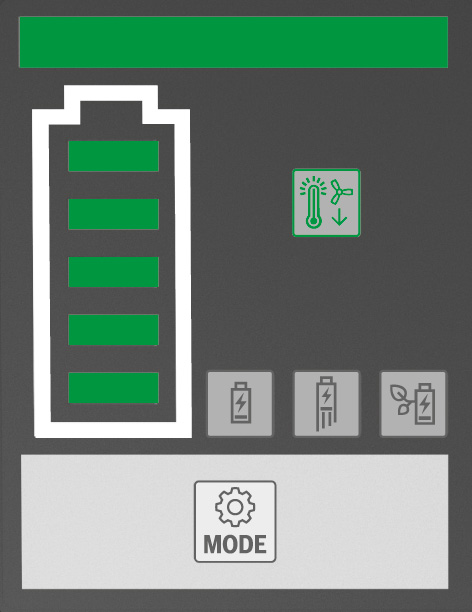
During aftercooling, the battery cooling is displayed as follows:
The Active Air Cooling indicator (4) lights up green, the status indicator (3) lights up green and all bars of the battery charge indicator (9) light up green.